EpiFive Small Business Pack
Run the money side of your small business from four simple Excel files. Invoices with GST or US sales tax, an expense dashboard, inventory with reorder alerts and a lightweight CRM. No subscription, no macros.
₹449one-time payment
- Instant download after payment
- 7-day refund, no questions asked
- Payments by Razorpay (UPI, cards, netbanking)
Shown in INR for India and USD elsewhere; switch any time. Taxes, if any, are shown at checkout.

Free vs Pro
| Feature | Free sample | Pro |
|---|---|---|
| Works in Excel 2016 or later on Windows and Mac, no macros | Included | Included |
| Instructions sheet in the file | Included | Included |
| Sample-data and blank versions | Included | Included |
| Yellow input cells, drop-downs and color-coded alerts | Included | Included |
| Invoice Generator with India GST (CGST + SGST or IGST) or US sales tax | Not included | Included |
| Automatic invoice numbering and an invoice log with paid/unpaid and overdue days | Not included | Included |
| Expense Tracker with a monthly dashboard, 20 budget categories and charts | Not included | Included |
| Inventory with In/Out/Adjust movements and an automatic reorder list | Not included | Included |
| Customer & Lead Tracker with stages, weighted pipeline and follow-up alerts | Not included | Included |
| 1 year of updates and priority email support | Not included | Included |
| Price | Free | ₹449 · $9 |
Free = the Break-even & Pricing Calculator (one template, emailed to you). Pro = the full Small Business Pack.
What's included
| Template | What it does |
|---|---|
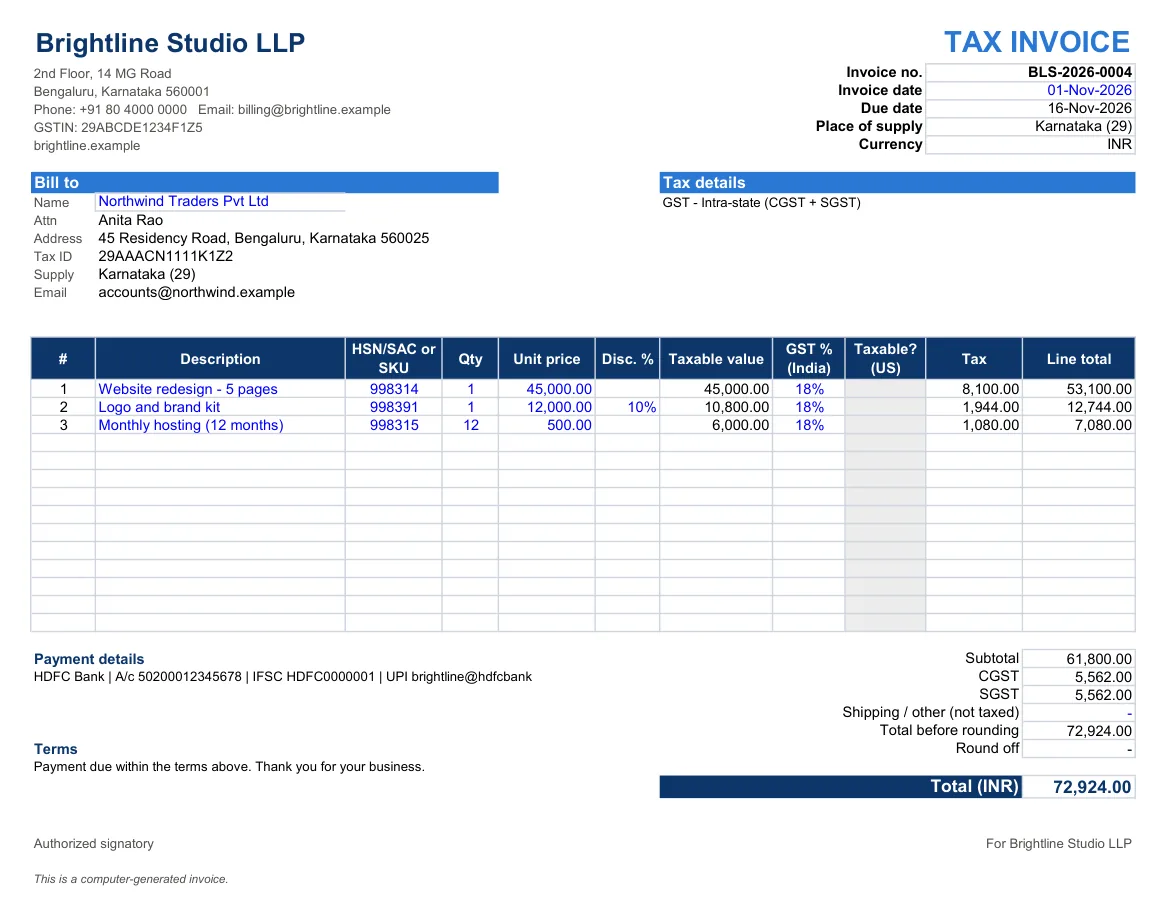
| Invoice Generator (GST / US sales tax) | One-page printable invoice, auto invoice numbering, customer address book, invoice log with paid/unpaid and overdue days |
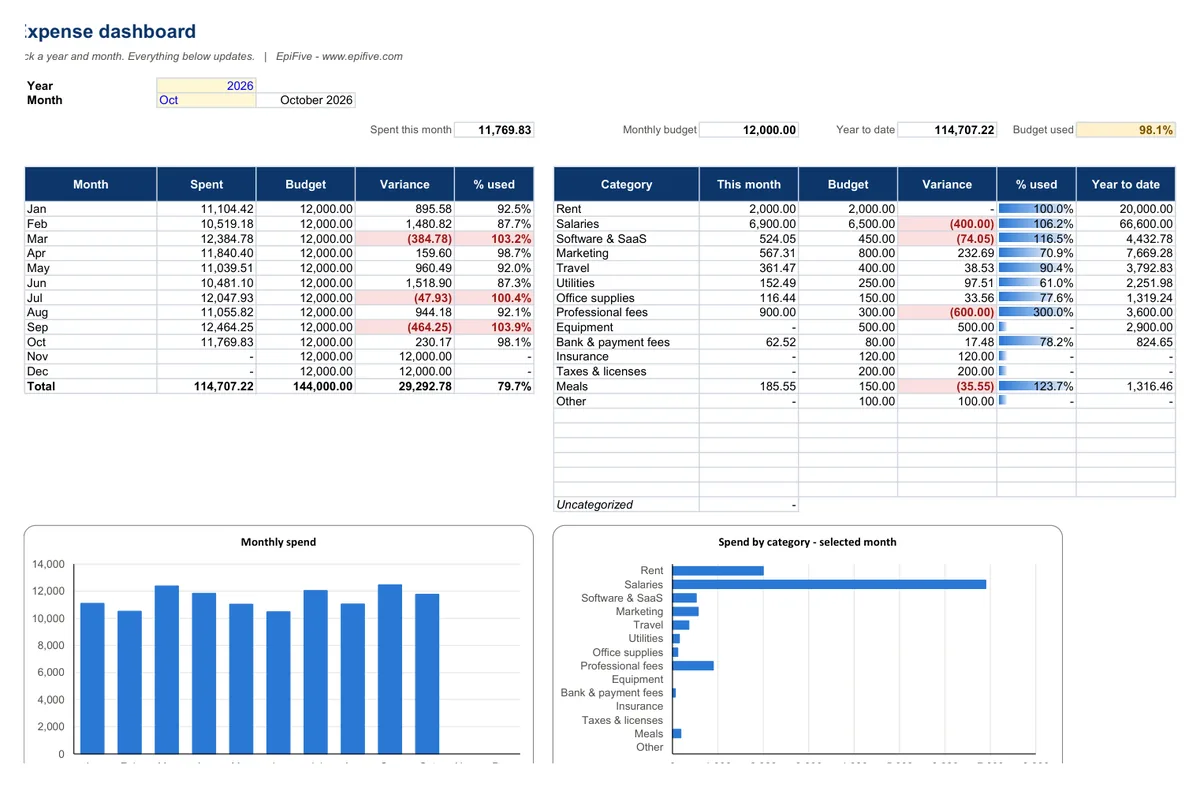
| Expense Tracker + Monthly Dashboard | 500-row expense log, 20 budget categories, year/month selector, budget vs actual, two charts |
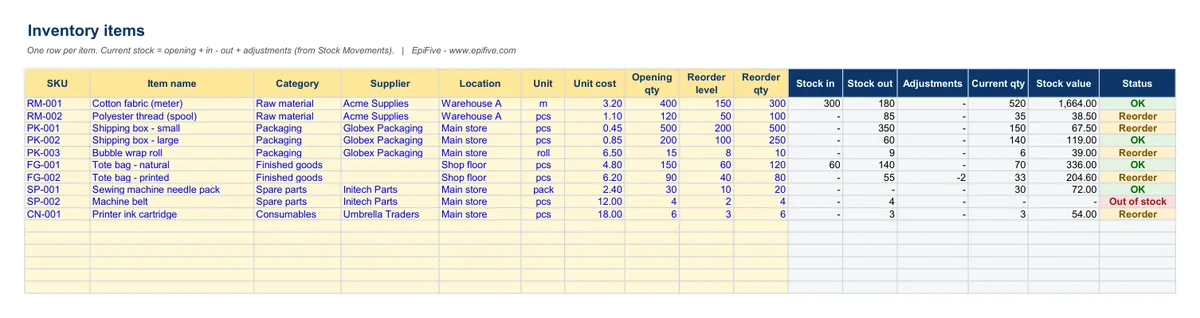
| Simple Inventory with Reorder Alerts | Item master, In/Out/Adjust movements, stock value, out-of-stock and reorder status, automatic reorder list with estimated cost |
| Customer & Lead Tracker | Stages with win probability, weighted pipeline, follow-up status, pipeline by stage and source, win rate |
Each template comes with a sample-data version and a blank version.
Why it helps
- Send professional invoices in minutes. Pick a customer, add items, and the tax, totals and due date calculate themselves. Switch between India GST (CGST + SGST or IGST) and US sales tax.
- Know where the money goes. See each month's spending by category against your budget, with charts.
- Stop running out of stock. Current stock updates from your In/Out log, and anything at its reorder level goes onto a ready-made reorder list.
- Never forget a follow-up. Track every lead's stage, deal value and next follow-up date; overdue follow-ups turn red.
Install guide
- After payment, click the download button on the success page or in your order email. You get one ZIP file.
- Right-click the ZIP and choose Extract All (Windows) or double-click it (Mac). Save the folder somewhere permanent, such as Documents or OneDrive.
- Open a template in Excel 2016, 2019, 2021, Microsoft 365 or Excel for Mac 2016 or later. If Excel shows Protected View, click Enable Editing. There are no macros, so there is nothing else to allow.
- Start with the Instructions sheet. Type only in the yellow cells and pick from the drop-downs; gray cells are formulas.
- Open the sample-data version to see it working, then use the blank version for your own data.
Works with
- Excel 2016, 2019, 2021 and Microsoft 365 on Windows, and Excel for Mac 2016 or later.
- No macros and no add-ins, so there are no security prompts.
- We tested every file in Microsoft 365 Excel for Windows (full recalculation, zero formula errors) and used only functions that also exist in Excel 2016.
License
Use the templates in your own home or business, and edit them as much as you like. Please don’t resell, share or upload the files for others to download.
Get the free Break-even & Pricing Calculator
Find your break-even units and revenue, and the sales needed for a profit target, plus a price what-if table. Same build as the paid pack: try it before you buy.
Questions
How does automatic invoice numbering work without macros?
The next number is your starting number plus the number of invoices in the Invoice Log. After you send an invoice, paste its details into the log (the helper panel shows exactly what to copy) and the next number appears.
Is the GST invoice format compliant?
The invoice shows GSTIN, place of supply, HSN/SAC per line and the CGST/SGST or IGST split. Rules and rates change (the GST slabs changed on 22 Sep 2025), so check the details with your accountant. The template does the maths; it isn't tax advice.
Can I use my own currency?
Yes. Type your currency code in Settings. Each file works in one currency.
Will it work in Google Sheets?
We built and tested the templates for Excel. Most formulas are standard and usually work after you upload the file to Google Sheets, but we haven't tested Sheets, and charts or some formatting may look different. Try the free sample first.
Can I change the categories, colors or layout?
Yes. Nothing is locked. The Instructions sheet shows how to protect formulas if you want to.
How do I get the files?
Straight after payment you see a download button, and we email you the same secure link. The link works for 7 days and 5 downloads, so save the ZIP. If it expires or the email does not arrive, write to [email protected] with your Razorpay payment ID or PayPal transaction ID and we will send a new one.
Which payment methods work?
In India: Razorpay Checkout (UPI, cards, netbanking and wallets), in rupees. Outside India: PayPal (your PayPal balance or a card), charged in US dollars. The page picks the right one for your country; use the "Paying from outside India?" link to switch.